Local-first VRChat companion

Heart-rate relay from your watch to VRChat, without a cloud account.

WearStream connects your watch, phone, and desktop app so live BPM can flow into your local VRChat setup. The smoothest setup is scan-first: start the desktop relay, let the QR code appear automatically, scan it in the phone app, and start streaming.

You’ll need one desktop app and one matching phone app. Start with the desktop app, then pair your phone by QR.

Downloads

Get the apps you need

Desktop apps

Install one desktop app on the machine running VRChat.

Mobile apps

Use the phone app that matches your watch path.

iPhone Phone app

Coming soon with Apple Watch support

Coming soon on iPhone In progress

After installing the desktop app, the QR flow is usually the fastest way to pair your phone.

Compatibility

What WearStream works with

Desktop Windows 11 or macOS 12+

Use one desktop app on the machine running VRChat.

Android path Android 10+ with a Wear OS watch

Use the Android phone app with the Wear OS watch app path.

Apple path iPhone on iOS 17+ with Apple Watch on watchOS 10+

Use the iPhone app with the Apple Watch app path.

Recommended setup

Pair by scanning the desktop QR code

Step 1 Start Relay on desktop
Step 2 Scan the QR code in phone app
Step 3 Start the watch stream

Quick start

Fastest first run: scan, connect, stream

Desktop Start Relay

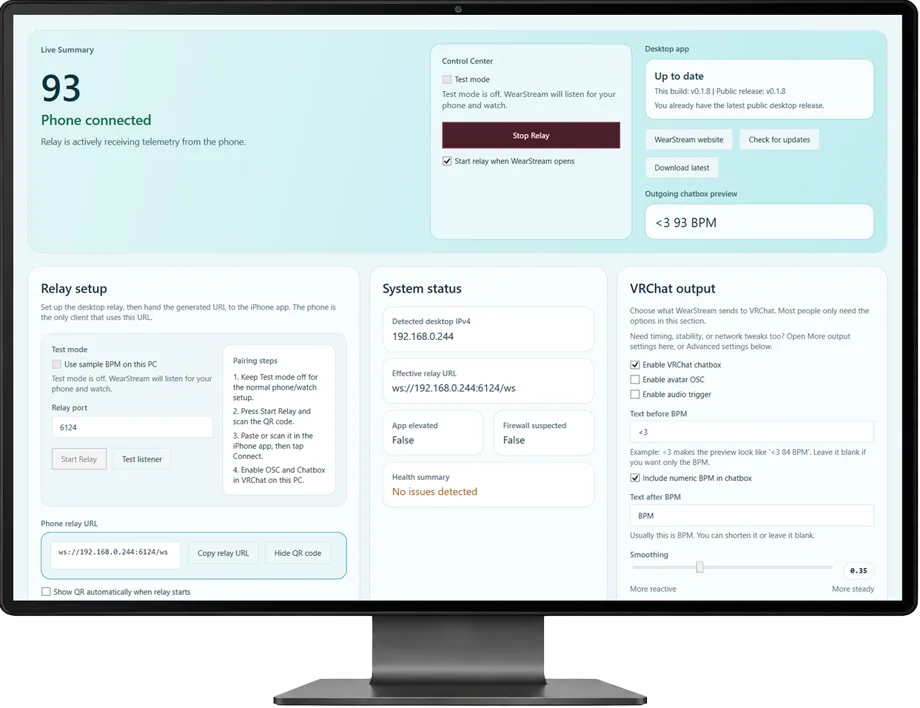
Open WearStream on the machine running VRChat and click Start Relay.

QR code Appears automatically

The desktop app reveals the exact local relay address for the phone to scan.

Phone Scan and connect

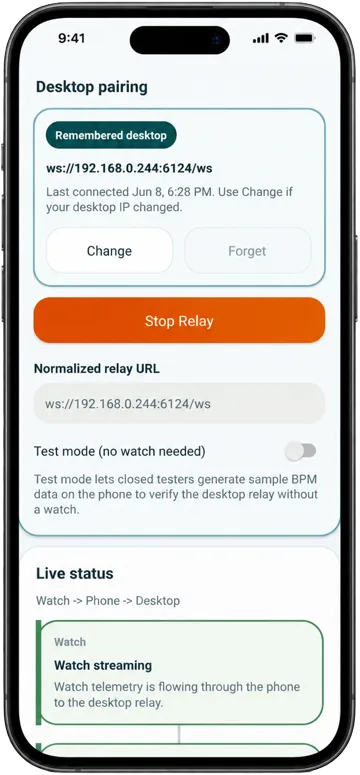
Open the phone app, scan the QR code, then tap Start Relay.

Watch Start streaming

Allow heart-rate access and begin the live stream.

  1. Open the desktop app on the machine running VRChat and click Start Relay. The QR code appears automatically.
  2. Open the phone app, scan the QR code, then tap Start Relay.
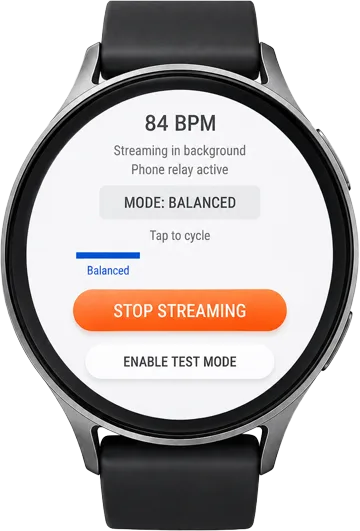
  3. Open the watch app, allow heart-rate access and any needed background permission, then start streaming.

Manual paste still works, but QR scanning is usually the quickest and least error-prone setup path.

First Open

What to expect the first time

Windows safety prompt

If Windows shows a SmartScreen warning because the app is unsigned, confirm the file came from the official WearStream download page or GitHub release, then choose More info and Run anyway.

macOS safety prompt

If macOS says the app cannot be opened because the developer cannot be verified, unzip it, then Control-click or right-click the app and choose Open.

If macOS still blocks it

Open System Settings -> Privacy & Security and use Open Anyway for WearStream, then launch it again.

How it works

One relay contract, multiple platform paths

Wear OS watch + Android phone

The original WearStream path reads heart-rate data from a Wear OS watch, relays it through the Android phone app, and forwards it to the local desktop listener.

Apple Watch + iPhone

WearStream also includes native Apple app targets for WatchConnectivity relay plus a local WebSocket handoff from iPhone to the same desktop listener contract.

Desktop app

The desktop side receives local telemetry and forwards it into your VRChat output pipeline, with public downloads available for Windows and macOS.

Help

Where each thing goes

QR pairing

When the desktop relay starts, it shows a QR code for the local relay URL such as ws://192.168.x.x:6124/ws. Scan that in the phone app when you can. VRChat does not use this URL.

VRChat outputs

WearStream starts with chatbox, avatar OSC, and audio trigger enabled by default. For the normal same-PC setup, leave the desktop app on 127.0.0.1:9000.

If something fails

Use Test listener in the desktop app, make sure the phone and desktop are on the same Wi-Fi network, and confirm the watch still has heart-rate access plus any required background permission.

Support email: wearstream.support@gmail.com

Why WearStream

Built to stay local

No cloud account

The core relay flow is designed around your own watch, phone, desktop, and local network.

No ads or analytics SDKs

The mobile apps are built without ad tech or analytics SDK integrations.

Not a medical device

WearStream is a companion relay utility for live BPM display and VRChat workflows, not a diagnostic or treatment tool.

Legal

Independent project notice

WearStream is an independent project and is not affiliated with, endorsed by, or sponsored by VRChat, Samsung, Google, Wear OS, Apple, Apple Watch, or iPhone.

VRChat and related names, marks, and products are the property of their respective owners.